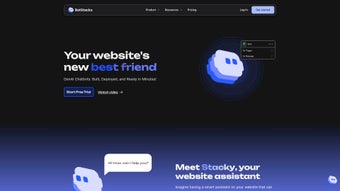

Скачать BotStacks – Платформа разработки AI‑ассистентов, создание чат‑ботов, развертывание везде
Введение
В современном быстро меняющемся цифровом ландшафте бизнесы и разработчики ищут единое решение, которое может превратить идею диалога в готового к производству AI‑ассистента без необходимости управлять множеством инструментов. BotStacks отвечает на этот запрос, предоставляя облачно‑нативную, всё‑в‑одном среду, где вы можете проектировать, обучать, тестировать и выпускать чат‑боты для веб, мобильных и голосовых каналов. Будь вы стартап, стремящийся обеспечить мгновенную поддержку клиентов, предприятие, желающее автоматизировать внутренние службы поддержки, или любитель, желающий исследовать новейшие большие языковые модели, BotStacks предлагает безопасную, совместную и масштабируемую платформу, устраняющую типичные трудности настройки инфраструктуры, управления API‑ключами и конвейеров развертывания. Модель подписки предоставляет доступ к тщательно отобранной библиотеке предобученных LLM, функциям совместной работы в реальном времени и вариантам экспорта на несколько каналов, делая её привлекательным выбором для тех, кто хочет сосредоточиться на дизайне диалогов, а не на деталях DevOps.
Этот обзор проведёт вас через основные возможности BotStacks, опишет процесс установки и использования, ответит на часто задаваемые вопросы и в конечном итоге поможет решить, подходит ли платформа для вашей дорожной карты разработки AI. К концу вы получите чёткое представление о ценности BotStacks, его ценовых аспектах и о том, как начать бесплатный пробный период, чтобы испытать платформу в действии.
Обзор & Ключевые функции
BotStacks — это комплексная облачная платформа разработки AI‑ассистентов, объединяющая визуальное построение ботов, выбор больших языковых моделей (LLM), совместную работу в реальном времени и многоплатформенное развертывание в одном месте. Визуальный конструктор платформы позволяет создавать деревья диалогов, определять намерения и сопоставлять сущности без написания кода, а интегрированная библиотека LLM предоставляет мгновенный доступ к моделям, таким как GPT‑4, Claude, LLaMA и другим. Безопасность встроена с сквозным шифрованием, хранением, соответствующим GDPR, и контролем доступа на основе ролей, гарантируя защиту пользовательских данных и проприетарной логики ботов. Панели аналитики показывают показатели успешности диалогов, использование токенов и точки оттока, позволяя проводить улучшения на основе данных. С нативными вариантами экспорта для веб‑виджетов, iOS/Android SDK, Slack, Microsoft Teams и голосовых ассистентов BotStacks значительно ускоряет вывод разговорных решений на рынок.
- Visual Bot Builder: Drag‑and‑drop interface for designing conversation flows without code.
- Integrated LLM Library: One‑click access to multiple large language models for testing and optimization.
- Real‑Time Collaboration: Team chat, comments, and version control keep projects moving quickly.
- Multi‑Platform Deployment: Export to web, iOS, Android, Slack, Teams, Alexa, Google Assistant, and custom REST endpoints.
- Secure Data Handling: TLS 1.3 encryption, GDPR compliance, and granular RBAC.
- Analytics & Monitoring: Live dashboards show success rates, token consumption, and user drop‑off.
- Version Control Integration: Sync with GitHub, GitLab, or Bitbucket for CI/CD pipelines.
- Extensible Plugins Marketplace: Connectors for CRM, ticketing, databases, and third‑party APIs.
- Scalable Cloud Infrastructure: Auto‑scaling resources maintain low latency during traffic spikes.
- Comprehensive Documentation & Support: API references, tutorials, community forums, and 24/7 email assistance.
Плюсы
- All‑in‑one platform eliminates the need for multiple third‑party tools.
- Strong real‑time collaboration accelerates development cycles.
- Multi‑model support lets you balance cost and performance.
- Enterprise‑grade security and GDPR compliance.
- Rich analytics enable continuous improvement based on real usage.
Минусы
- Subscription pricing may be steep for very small teams or solo hobbyists.
- Advanced customizations sometimes require scripting knowledge.
- Niche platform exports can need additional development effort.
Руководство по установке & использованию
BotStacks поставляется как SaaS‑решение, поэтому традиционная установка программного обеспечения на ваш локальный компьютер не требуется. Всё, что вам нужен — современный веб‑браузер (Chrome, Edge, Firefox или Safari) и активное интернет‑соединение. Платформа работает полностью в облаке, что позволяет начинать работу с Windows‑ПК, macOS‑ноутбука, Linux‑рабочей станции или даже мобильного планшета на Android или iOS.
- Create an Account: Visit botstacks.com, sign up for a 14‑day free trial, and verify your email to unlock full functionality.
- Select a Project Template: Choose a pre‑built template (Customer Support, Lead Generation, FAQ Bot, etc.) or start from a blank canvas.
- Design Conversation Flows: Use the drag‑and‑drop builder to add intents, utterances, and response actions. Attach webhooks, database queries, or external API calls to enrich interactions.
- Choose an LLM: In the “Model” tab, pick the language model that best fits your use‑case. Fine‑tune parameters such as temperature, token limits, and system prompts.
- Test in Real Time: The built‑in chat emulator lets you converse with your bot instantly. The debug panel shows token usage, API calls, and any error messages.
- Collaborate & Review: Invite teammates via email, assign roles (Admin, Developer, Reviewer), and use the comment system to gather feedback and approve changes.
- Deploy: Click “Export” and select a deployment target—Web Widget, iOS SDK, Android SDK, Slack, Teams, or a custom REST endpoint. BotStacks generates the necessary code snippets and configuration files for you.
- Monitor & Iterate: After deployment, the analytics dashboard provides live metrics. Use these insights to adjust intents, improve LLM prompts, or add new features.
Because BotStacks runs entirely in the cloud, it is compatible with any operating system that supports a modern web browser, including Windows 10/11, macOS Monterey and later, major Linux distributions, ChromeOS, Android, and iOS. The generated SDKs for mobile platforms work natively on Android (API 21+) and iOS (13+).
Часто задаваемые вопросы
Below you’ll find answers to the most common queries about BotStacks, covering pricing, custom model support, data privacy, deployment options, and usage limits. Each answer is crafted to give you a clear understanding of how the platform fits into various workflows.
Is BotStacks free to use?
BotStacks offers a 14‑day free trial that provides unrestricted access to all core features, including the visual builder, LLM library, and deployment options. After the trial expires, you must select a paid subscription—available as monthly or annual plans. For solo developers and small teams, a lower‑cost “Community” tier is also offered, which limits certain premium features but still enables full bot creation and deployment.
Can I integrate my own custom language model?
Yes. BotStacks includes a “Custom Model” connector that accepts any OpenAI‑compatible endpoint or generic RESTful LLM service. This flexibility lets you bring proprietary models, experimental research versions, or on‑premise deployments into the same collaborative environment used for the built‑in models, ensuring consistent workflow across all AI resources.
How does BotStacks handle data privacy and compliance?
All data stored by BotStacks is encrypted at rest and in transit using TLS 1.3. The platform is GDPR‑ready, offering data‑export tools, configurable retention policies, and the ability to delete entire projects on demand. Role‑based access control (RBAC) ensures that only authorized users can view or edit sensitive bot configurations, making it suitable for enterprise environments with strict compliance requirements.
What deployment options are available for my bot?
BotStacks supports a wide range of deployment targets. You can export bots as embeddable web widgets, native iOS/Android SDKs, Slack apps, Microsoft Teams bots, or as a generic REST endpoint that any platform can call. Additionally, custom connectors enable publishing to voice assistants such as Amazon Alexa and Google Assistant, giving you the flexibility to meet users wherever they interact.
Is there a limit on the number of bots I can create?
During the free trial and on most paid plans, BotStacks allows you to create an unlimited number of distinct bot projects. Enterprise‑level plans may impose higher usage quotas for token consumption or API calls, but they do not cap the total count of separate bots, enabling teams to experiment and iterate across multiple use‑cases simultaneously.
Заключение & Призыв к действию
BotStacks distinguishes itself as a robust, secure, and highly collaborative platform for building AI assistants that can be deployed across any digital channel. By consolidating visual design, multi‑model selection, real‑time teamwork, and comprehensive analytics into a single cloud service, it dramatically reduces the time and effort required to move from concept to production. The platform’s security features, GDPR compliance, and scalable infrastructure make it a trustworthy choice for enterprises, while the intuitive builder and extensive documentation keep the learning curve gentle for newcomers.
If you are looking to streamline chatbot development, accelerate collaboration across distributed teams, and gain actionable insights from live conversations, BotStacks offers a compelling solution that balances power with usability. The subscription cost is justified for professional teams that value the productivity gains and security assurances it provides. To experience the full capabilities firsthand, start your free 14‑day trial of BotStacks today and see how quickly you can turn ideas into functional, production‑ready AI assistants.
BotStacks delivers a polished, all‑in‑one experience for creating conversational AI. The visual builder is intuitive, the LLM selection is flexible, and the analytics dashboard provides real insights. While the subscription cost may be a hurdle for very small teams, the productivity gains and security features justify the investment for most professional use cases.
- Pros: Integrated LLM library, real‑time collaboration, multi‑platform deployment, strong security.
- Cons: Pricing for startups, occasional need for custom scripting.



.png)



